 The Postmaster
The People Who Handle Your Email
Your email doesn't just fly from your screen to someone else's inbox. It passes through four workers, each with a specific job. The Postmaster introduces them one by one.
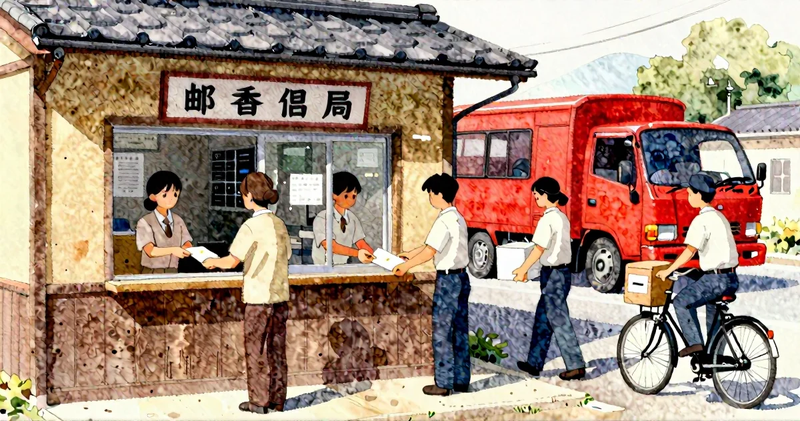
A long time ago, on my very first morning at the post office, I made the mistake most newcomers make. I thought the job was straightforward — someone hands you a letter, you put it in the right box. Done. My senior clerk laughed gently and said, "There are at least four pairs of hands between that letter and its destination. You'd better learn what each one does."
He was right. And email works the same way.
When you tap "Send" on a message, it doesn't simply leap from your screen into someone else's inbox. It passes through a small team of workers — four of them, each with a specific job and a specific name. These names come up a lot in technical articles, and they tend to make people's eyes glaze over: MUA, MSA, MTA, MDA.
Let me introduce them the way I'd introduce you to the staff at my old post office.
The Counter Clerk — MUA (Mail User Agent)
The MUA is the person you actually talk to. In a post office, that's the clerk behind the counter — the one who greets you, takes your letter, and hands you your incoming mail.
In the email world, the MUA is your email program. That's Gmail's web interface, the Outlook app on your phone, Apple Mail on your Mac, Thunderbird on your desktop — any program you use to write, read, and organize your email.
When you compose a message and hit Send, you're handing that letter to the counter clerk. When you open your inbox and read a message, the counter clerk is handing it to you.
The MUA doesn't deliver anything itself. It just provides the friendly face you interact with.
The Intake Sorter — MSA (Mail Submission Agent)
Behind the counter clerk, there's a worker you rarely see — the intake sorter. When the clerk accepts your letter, they hand it back to this person. The intake sorter checks a few things before the letter goes any further.
Is there a return address? Is the postage correct? Is this person authorized to send mail from this address?
In email, the MSA is the server that receives your outgoing message from your email program. It runs on port 587 (if that number means nothing to you, don't worry — just think of it as the intake sorter's desk number). The MSA checks that you've logged in properly, that your message is formatted correctly, and that you're allowed to send from the address you're using.
If something's off, the MSA sends it back to you. If everything's in order, it passes the message deeper into the post office.
The Long-Haul Truck Driver — MTA (Mail Transfer Agent)
Now the letter leaves your local post office. The MTA is the truck driver — the one who carries mail between post offices, sometimes across town, sometimes across the country.
In email terms, the MTA is the server (or series of servers) that routes your message across the internet toward the recipient's mail server. It looks up where the recipient's "post office" is by checking MX records — think of these as the address plates on post office buildings — and delivers the message there.
Sometimes the trip is short: if you and the recipient use the same email provider, the MTA just walks the letter down the hall. Sometimes the message hops between several MTAs, like a letter being transferred between regional sorting centers.
The MTA is also the one who'll return your letter with a "delivery failed" notice if the destination doesn't exist. In the old days, we stamped those "Return to Sender." The MTA does the same thing with bounce messages.
The Local Letter Carrier — MDA (Mail Delivery Agent)
The letter has arrived at the recipient's post office. Now someone needs to walk it to the right mailbox. That's the MDA — the local letter carrier.
The MDA takes the message from the MTA and places it into the recipient's mailbox — the actual storage where their messages wait to be read. Along the way, the MDA might sort the mail: this one goes in the inbox, that one looks like junk mail and goes in the spam folder.
Software like Dovecot or Procmail often handles this job. You'll never interact with the MDA directly, just as you rarely see your letter carrier in action — you just find the mail in your box.
The Full Journey
Let's put it all together. Say you're sending an email to a friend.
- You compose the message in your email program (the MUA — the counter clerk).
- Your email program hands the message to the MSA (the intake sorter), which checks your credentials and formatting.
- The MSA passes it to the MTA (the truck driver), which looks up where your friend's mail server is and routes the message there.
- Your friend's MTA receives it and hands it to the MDA (the local letter carrier), which drops it into your friend's mailbox.
- Your friend opens their email program (MUA again) and reads your message.
Four workers. One letter. Each one does their part, and together they make sure your message gets where it needs to go.
Why Does This Matter?
You don't need to memorize these acronyms to use email. Most of the time, these workers do their jobs silently and well.
But when something goes wrong — a message bounces, an email lands in spam, or you're trying to set up a new email service — knowing who does what helps you figure out where the problem is. Is it your email program? The server accepting your message? The routing between servers? The delivery into the inbox?
It's like knowing the difference between the counter clerk losing your letter and the truck breaking down on the highway. Same result — the letter doesn't arrive — but very different fixes.
For KaiMail users, this is especially useful. When KaiMail forwards your email, it's acting as an extra MTA in the chain — a regional relay office that receives your mail and sends it onward to your actual inbox. Understanding the chain helps you understand why things like ARC headers and authentication matter when forwarding is involved.
Take your time with these. There's no rush. The next time you see "MTA" in an error message or a support article, you'll know — that's just the truck driver. And now you know the rest of the crew, too.